How we built our new website using Laravel and Ozu
Dec 17, 2025 by Philippe Lonchampt
We launched our new website this month (code16.fr). It presents our company philosophy, the team, and a selection of our projects — plus, of course, the very blog you are reading right now.
In this post, we’d like to explain how this website was built, from a technical perspective.
Company websites should be static
At Code 16, we firmly believe that static websites are awesome: secured by design, fast, stable and easy to host. Of course, the downsides are well known too: content can be harder to manage, and the development experience is often less comfortable than with a traditional, let's say, Laravel project.
This is precisely the problem we set out to solve with Ozu, a project that combines:
A package (code16/ozu-client)
that lets us keep our stack of choice: PHP, Laravel, Tailwind, Alpine...
A customizable content management system, based on Sharp,
available at ozu.code16.fr
A deployment infrastructure that connects everything together, allowing us to deploy our websites, with managed content, wherever we want (Netlify and an Infomaniak server in our case).
Leveraging Ozu for the content management...
The codebase of this website is open source (as we like to share everything we can, or are allowed to). It’s available here: https://github.com/code16/concorde.
If you’re familiar with Laravel, you’ll notice that it’s almost a regular Laravel project. The main differences live in the models, where a few Ozu-specific configurations are required to describe the CMS behavior. As you can see, it’s quite straightforward:
class Testimonial extends Model
{
    use IsOzuModel;
    use HasFactory;

    public function authorPicture(): MorphOne
    {
        return $this->morphOne(Media::class, 'model')
            ->withAttributes(['model_key' => 'authorPicture']);
    }

    public function logo(): MorphOne
    {
        return $this->morphOne(Media::class, 'model')
            ->withAttributes(['model_key' => 'logo']);
    }

    public static function configureOzuCollection(OzuCollectionConfig $config): OzuCollectionConfig
    {
        return $config
            ->setLabel('Testimonials')
            ->setIcon('lucide-message-square-quote')
            ->setHasPublicationState();
    }

    public static function configureOzuCollectionList(OzuCollectionListConfig $config): OzuCollectionListConfig
    {
        return $config
            ->addColumn(OzuColumn::makeImage('authorPicture', 1))
            ->addColumn(OzuColumn::makeText('title', 3)->setLabel('Client'))
            ->addColumn(OzuColumn::makeText('author_name', 5)->setLabel('Author'))
            ->addColumn(OzuColumn::makeText('author_role', 3)->setLabel('Role'));
    }

    public static function configureOzuCollectionForm(OzuCollectionFormConfig $config): OzuCollectionFormConfig
    {
        return $config
            ->configureTitleField(fn (OzuField $field) => $field->setLabel('Company name (hidden)'))
            ->hideCoverField()
            ->addCustomField(OzuField::makeText('author_name')->setLabel('Author name'))
            ->addCustomField(OzuField::makeText('author_role')->setLabel('Role'))
            ->addCustomField(OzuField::makeImage('authorPicture')->setLabel('Photo')->setCropRatio('1:1'))
            ->addCustomField(OzuField::makeImage('logo')->setLabel('Logo')->setAllowedExtensions(['svg']));
    }
}
This example comes from https://github.com/code16/concorde/blob/main/app/Models/Testimonial.php
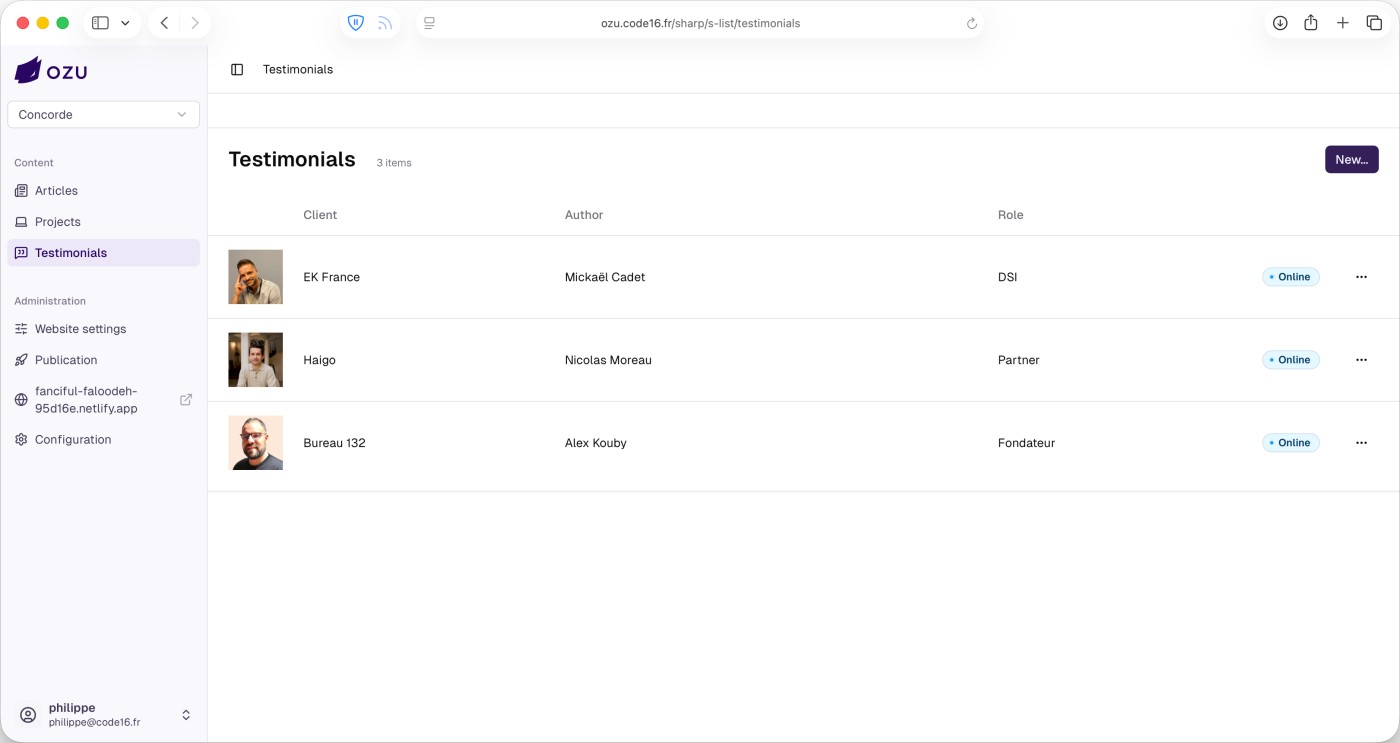
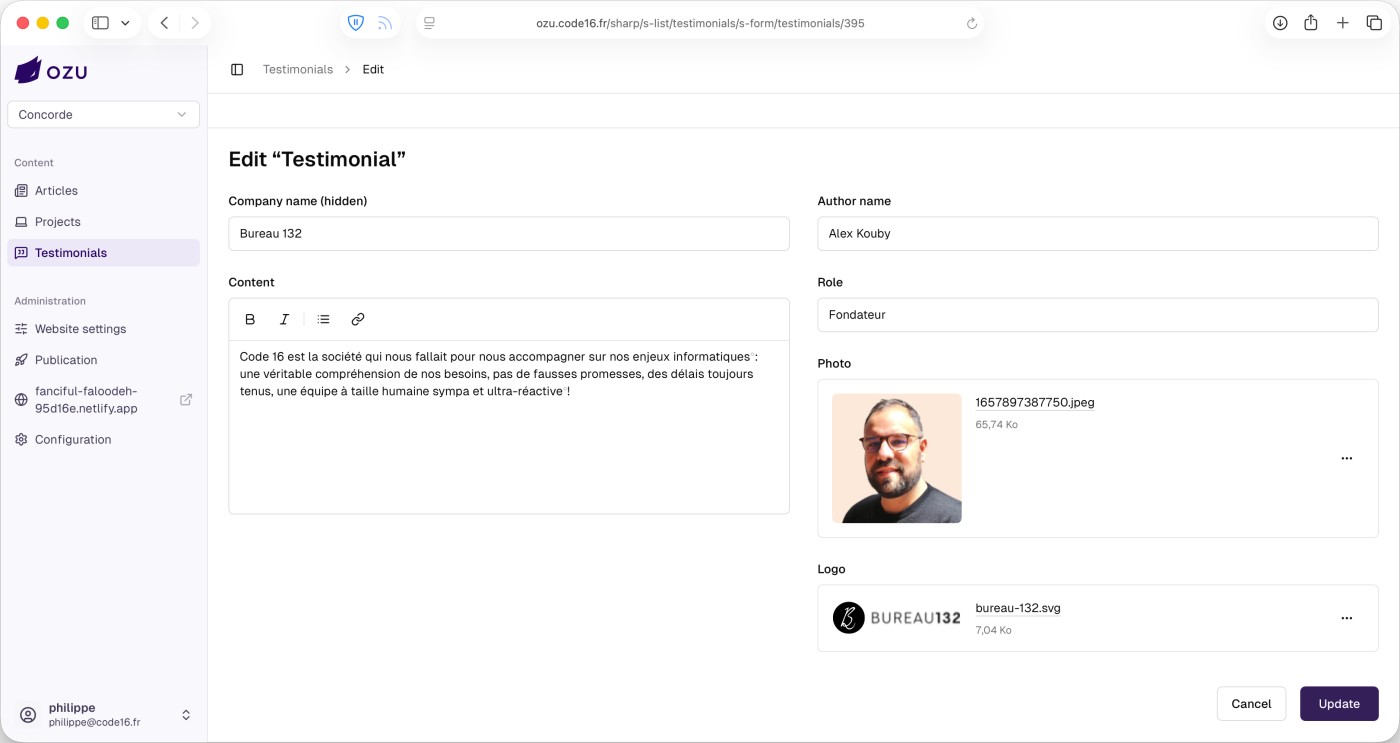
In the project codebase, this is a regular Eloquent model. The configureOzuCollection method defines the collection’s general behavior, and then configureOzuCollectionList and configureOzuCollectionForm describe how Ozu should display and edit the data in the CMS.
Here's how this Testimonial model is rendered inside Ozu:
... and for deployment
Since this is a static website, updating the content doesn’t affect the live site immediately: the website needs to be rebuilt and published. This is where Ozu’s deployment infrastructure comes into play.
After an initial setup — connecting the GitHub repository and configuring hosting credentials — publishing new content is just a matter of one click:
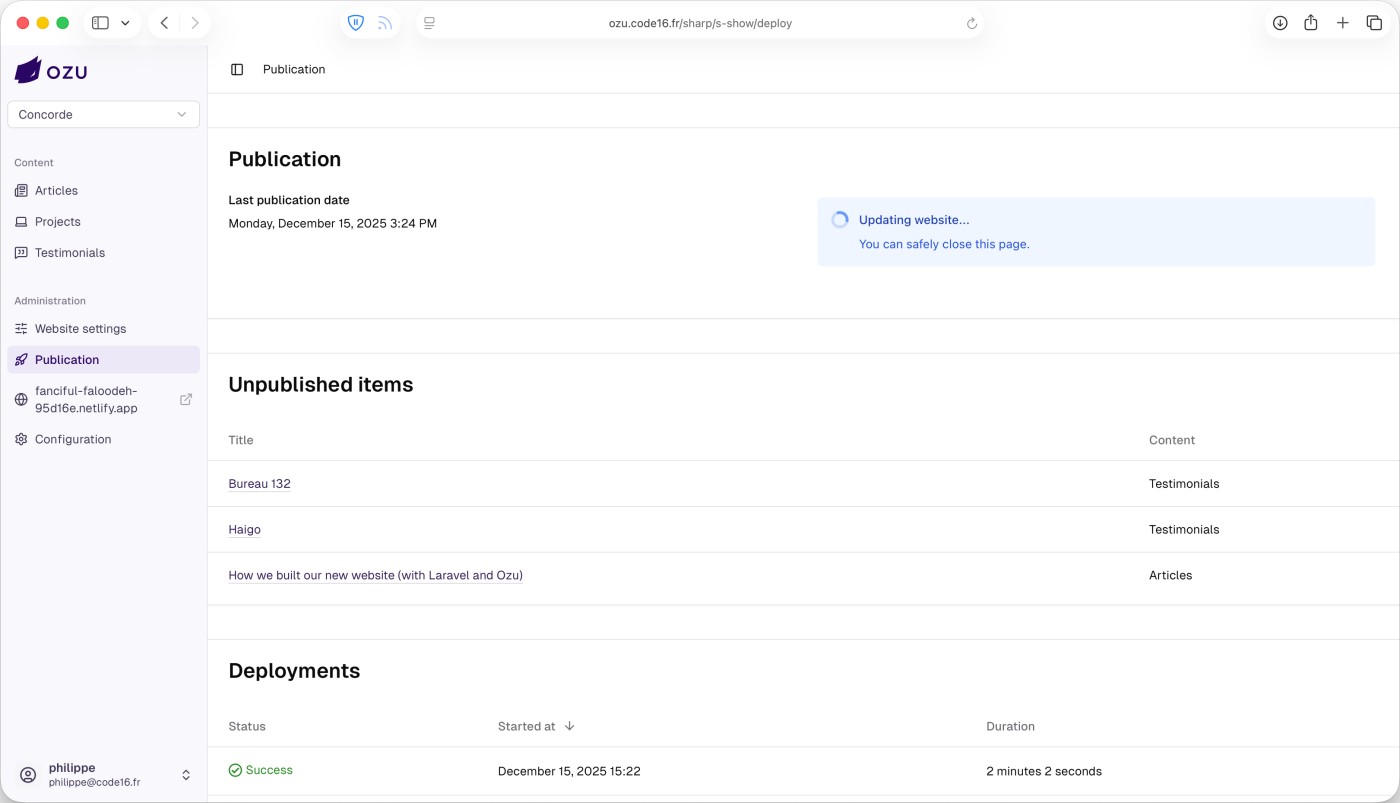
About a minute later, the static website is rebuilt and deployed, with the updated content live.
With this setup, we get the best of both worlds: the performance, security, and simplicity of static websites, combined with a comfortable editorial workflow and a modern development stack. Ozu allows us to build content-driven websites without compromising on either developer experience or hosting flexibility.
Of course, Ozu is not a one-size-fits-all solution. Most of the projects showcased on this website are fully custom developments, deployed on infrastructures specifically tailored to their needs. We developed and maintain Ozu as part of our toolbox: an efficient solution we can rely on when a project is a good fit for this approach.